Blog
E-Commerce Website Improvements to Boost Conversion


What’s New in These E-Commerce Improvements?
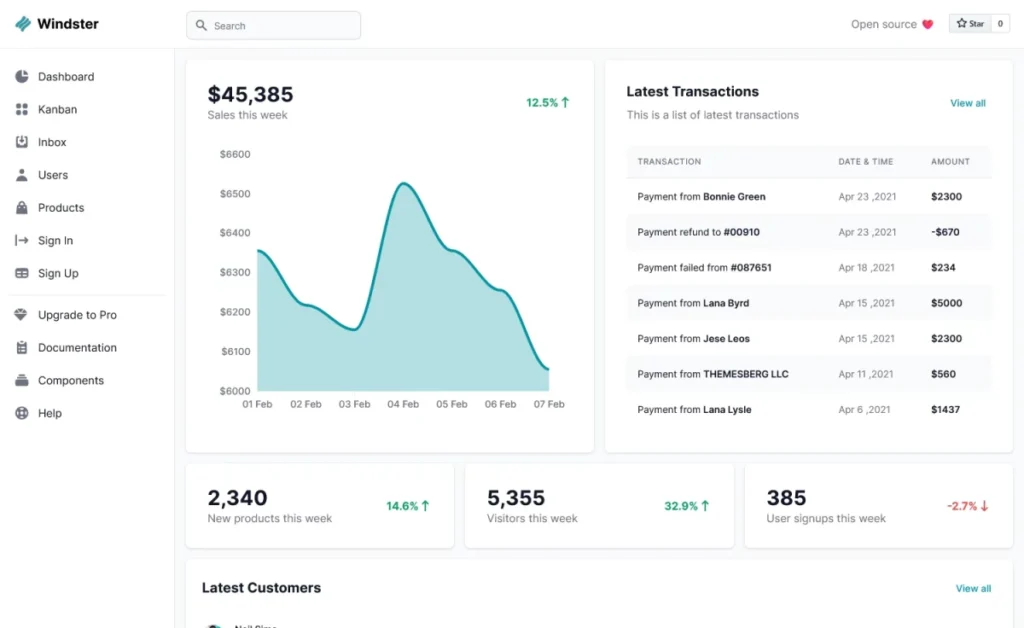
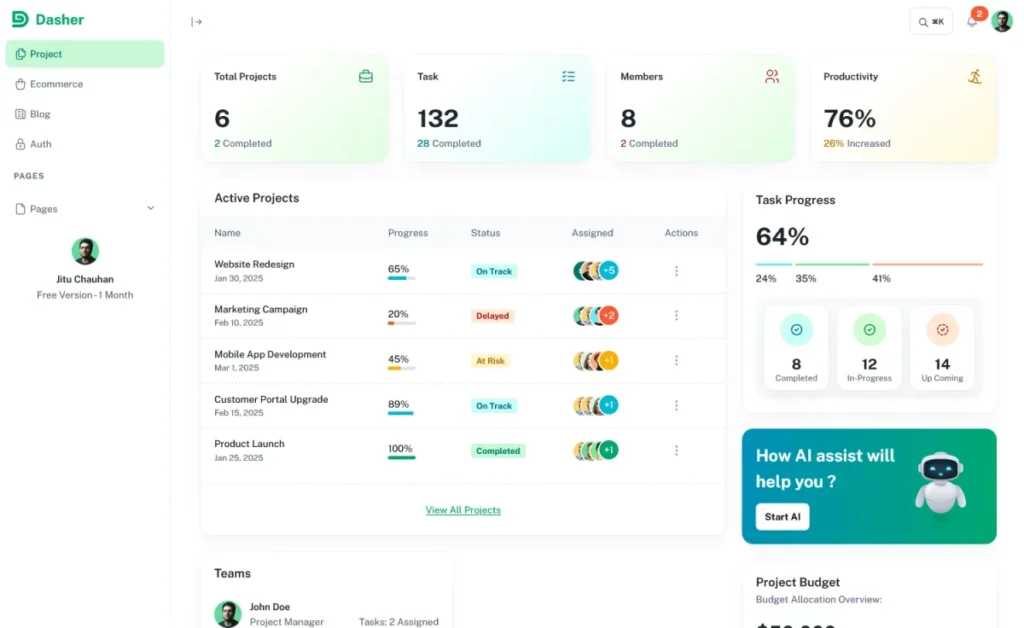
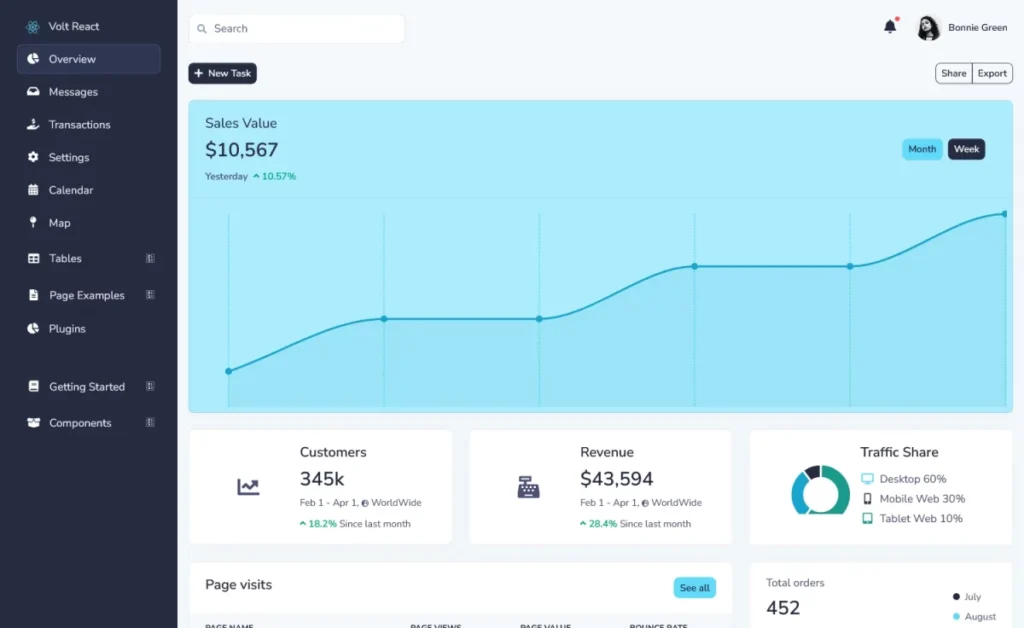
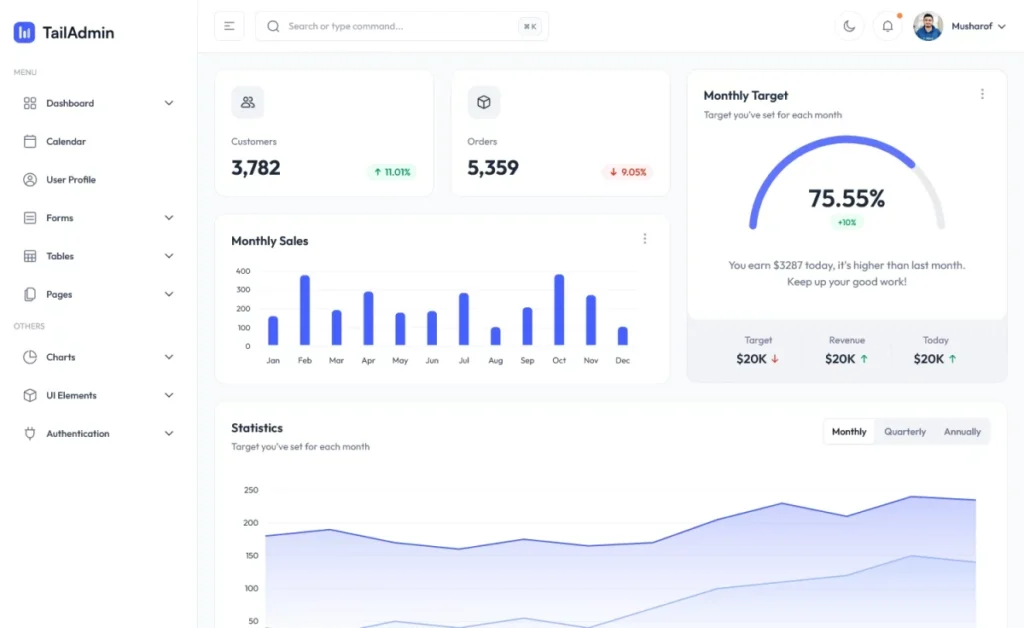
- 🆕 New Web Template Designs
Explore the NEWEST E-Commerce Improvements we’ve released in this update! We’ve introduced brand-new web template designs crafted with modern layouts, clean typography, and responsive structure. - 🖼️ Product Image Slider
The new Product Image Slider allows you to display multiple product images smoothly. It improves product presentation, boosts user engagement, and delivers a seamless browsing experience on all devices. - 📌 Sticky Header Tabs
Sticky header tabs keep your navigation visible while users scroll through the page. This feature improves usability, reduces bounce rates, and makes important sections easily accessible. - 🧭 Page Breadcrumbs Added
Page breadcrumbs help users understand their location on your website and navigate easily between pages. They also improve SEO by enhancing internal linking and site structure. - 🖼️ Image Dialog Reworked
The image dialog has been redesigned for better performance and usability. Uploading, previewing, and managing images is now faster, cleaner, and more intuitive. - 🎨 Improved Color Transparency
Color transparency controls have been improved to give designers more creative flexibility. You can now create smoother overlays, modern UI effects, and visually appealing layouts. - 🎥 New Video Tutorial: Build Responsive Websites Easily With Grids
A new step-by-step video tutorial is now available, showing how to build fully responsive websites using grid systems. Perfect for beginners and professionals alike. - 🚀 More New Web Template Designs
Along with the main update, additional templates have been added to help you launch websites quickly without compromising on design quality or performance.

Product Image Slider Feature Update
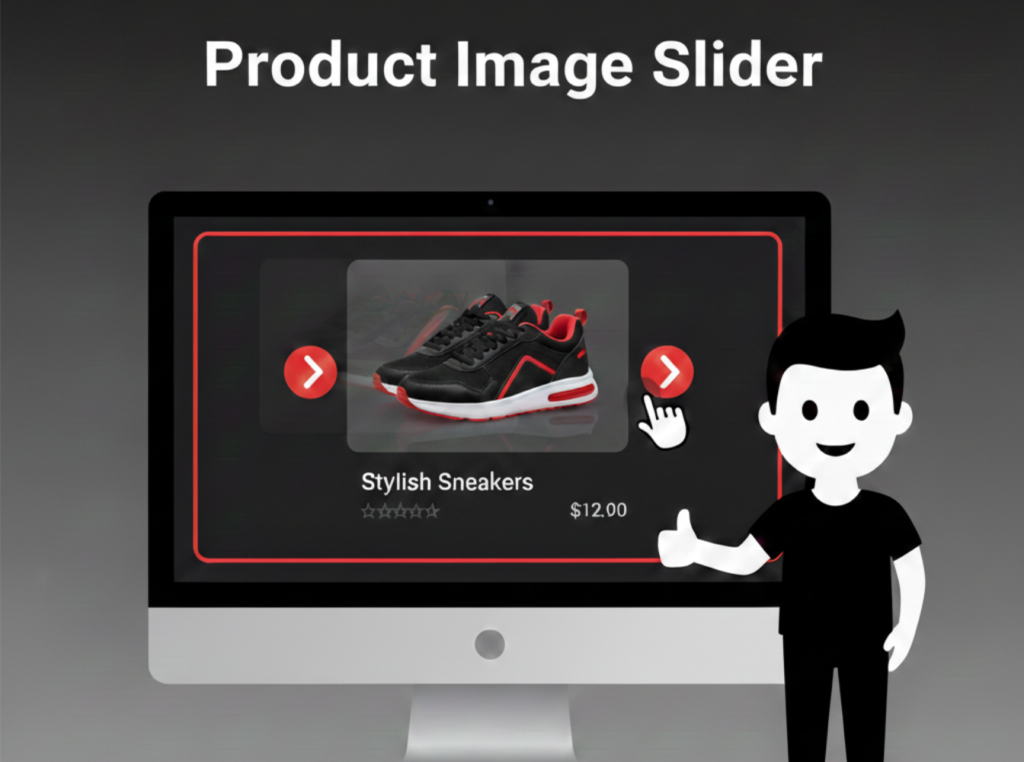
As part of our ongoing E-Commerce Template Improvements, we’ve introduced a new Product Image Slider feature to both the Product List element and the Product List Page template.
We’ve introduced a new Product Image Slider feature to both the Product List element and the Product List Page template. This enhancement allows you to display multiple product images directly within product listings, without requiring users to open individual product pages.
By showcasing more visuals upfront, this feature creates a more engaging and informative shopping experience for visitors.
Key Benefits of the Product Image Slider
- Display multiple product images within listing pages
- Improve visual appeal and user engagement
- Allow quick product previews without extra clicks
- Fully responsive across mobile, tablet, and desktop devices
- Enhance user experience and increase conversion potential
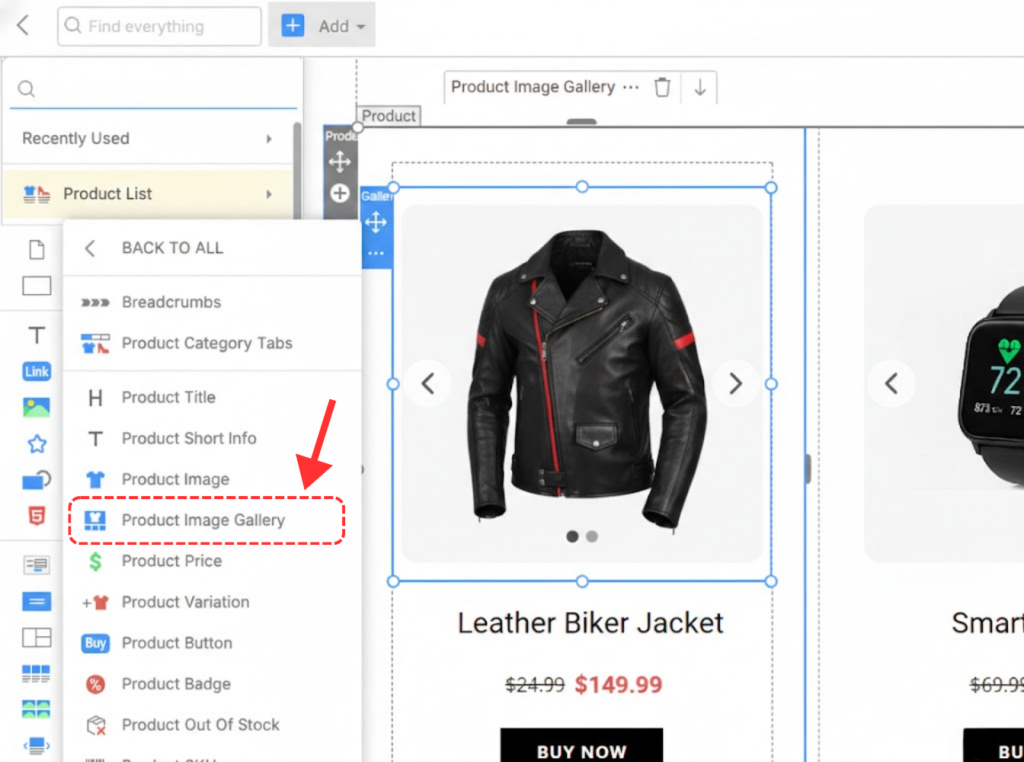
Add Image Slider To Product List
You can now easily add an Image Slider to your Product List by using the Gallery element directly from the Add Panel. This update makes it simple to showcase multiple product images within product listings, without any complex setup.
With just a few clicks, you can enhance the visual presentation of your products and create a more interactive browsing experience for users.
Key Advantages
- Add an image slider directly to product listings
- Use the Gallery element from the Add Panel for quick setup
- Display multiple product images without opening product pages
- Improve product visibility and visual appeal
- Fully responsive across all screen sizes
Product Slider Image Style Settings
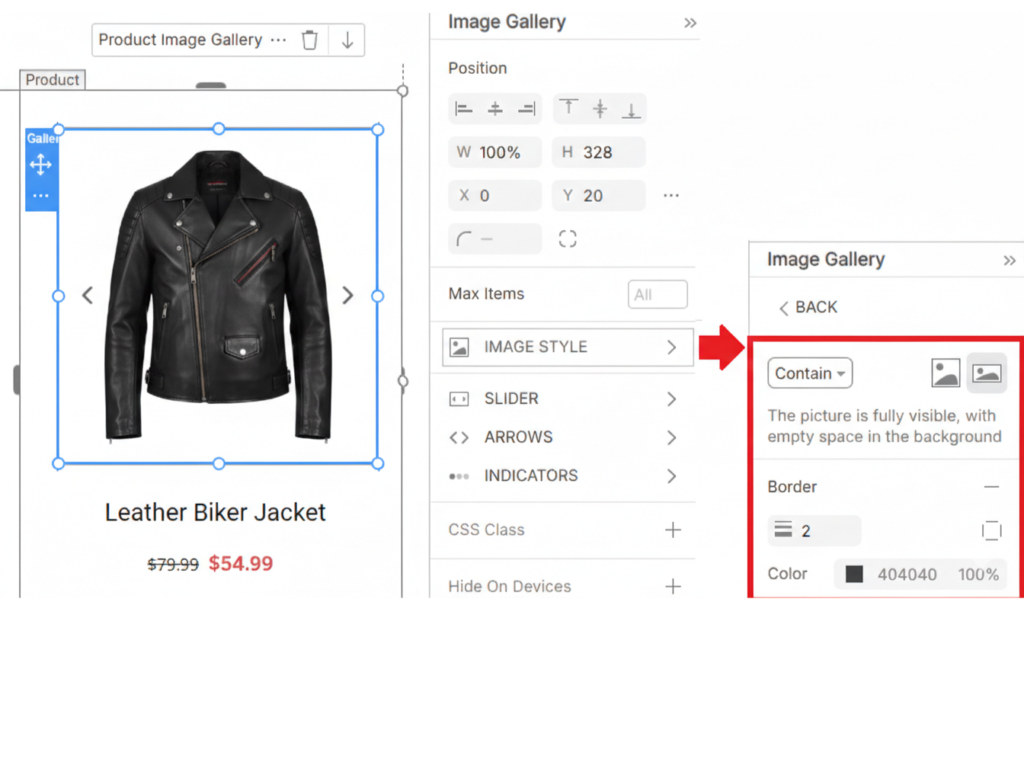
The Product Image Slider now offers flexible image styling options directly from the Property Panel, giving you more control over how product images appear in your listings.
You can customize the image display by selecting how each image fits within the slider and by adding visual enhancements such as borders for a cleaner, more polished look.
Available Image Style Options
- Image Fit Mode:
- Choose between Cover or Contain to control how images scale within the slider frame.
- Cover fills the entire area for a bold, immersive look
- Contain ensures the full image is visible without cropping
- Choose between Cover or Contain to control how images scale within the slider frame.
- Image Border:
- Add borders around images to improve separation, highlight products, and match your website’s design style.
- Add borders around images to improve separation, highlight products, and match your website’s design style.
Product Slider Animation Settings
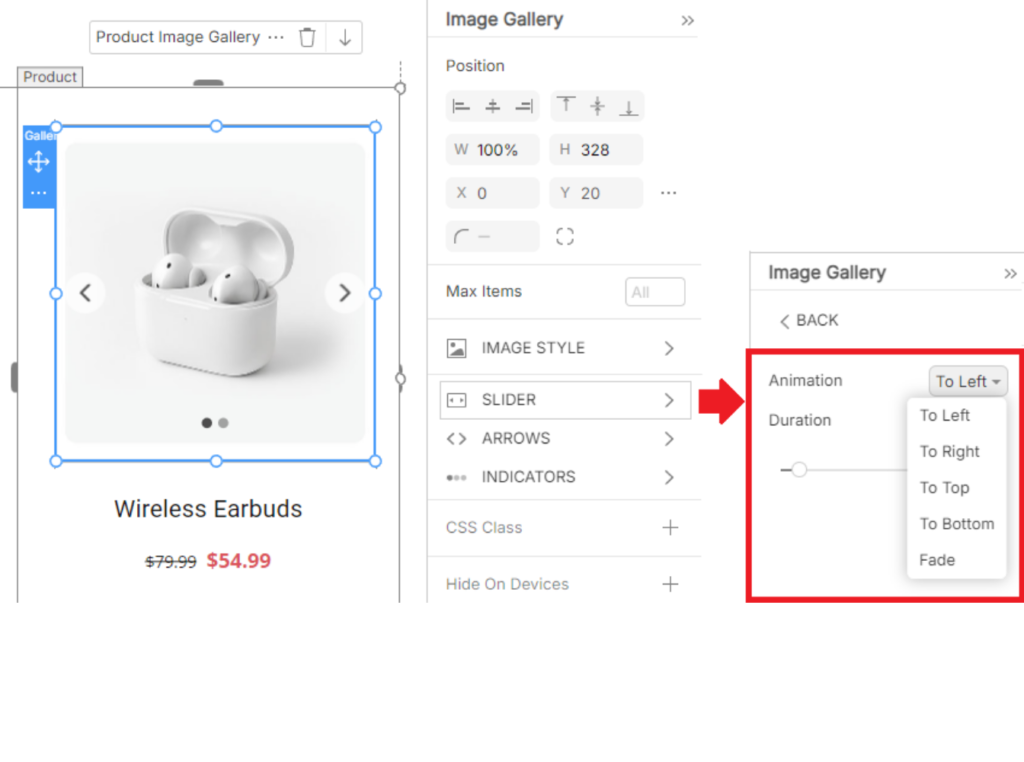
The Product Image Slider now includes customizable animation controls that let you fine-tune how images transition within the slider. These settings are available directly in the Slider Properties section of the Property Panel, making adjustments quick and intuitive.
With flexible animation options, you can create smoother, more engaging product presentations that match your website’s design style.
Available Image Style Options
Animation Direction:
Choose the direction in which images slide, allowing you to align transitions with your layout and user flow.
Transition Duration:
Adjust how fast or slow images move between slides to achieve a smooth and visually pleasing effect.
Product Slider Arrow Customization
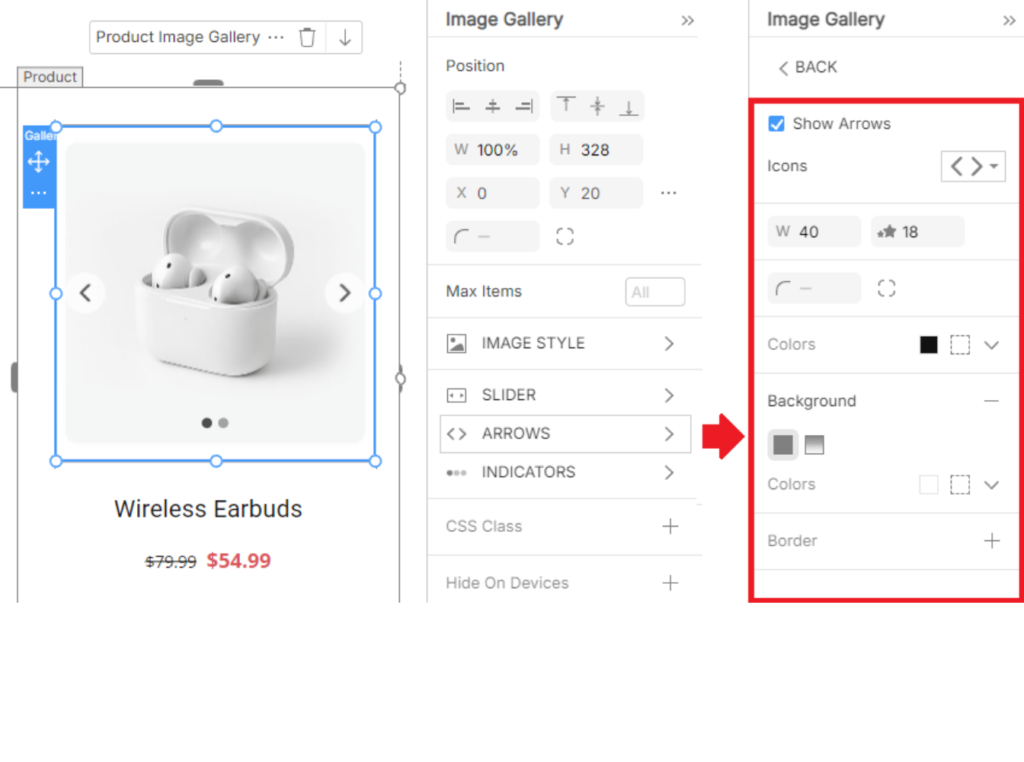
The Product Image Slider now offers advanced customization options for Slider Arrows, allowing you to match navigation controls perfectly with your website’s design.
All arrow styling settings are available in the Arrows Properties panel, giving you full control over both appearance and placement.
Arrow Styling Options
You can customize the slider arrows by adjusting:
- Size – Scale arrows up or down for better visibility
- Color – Match arrow colors with your brand or theme
- Shape – Choose a style that complements your overall UI design
Product Slider Indicator Customization
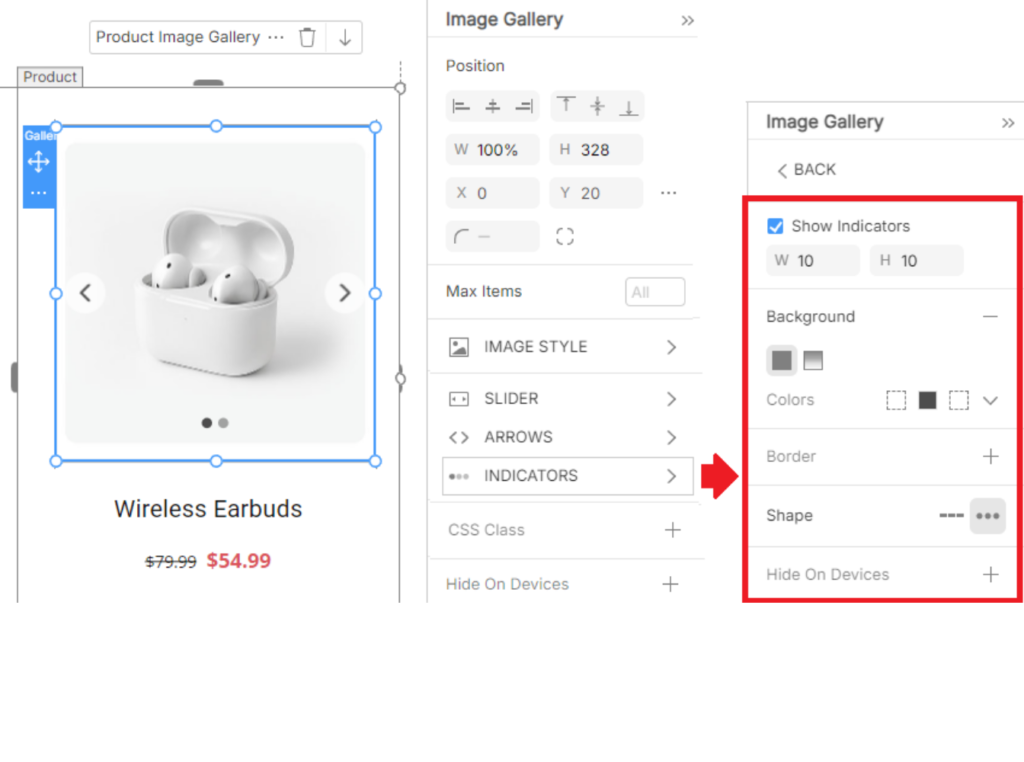
The Product Image Slider includes flexible styling options for Slider Indicators, allowing you to control how navigation dots appear and behave within your product sliders.
All indicator settings are available in the Indicators Properties panel, giving you complete control over both design and placement.
Indicator Styling Options
You can customize slider indicators by adjusting:
- Size – Increase or decrease indicator size for better visibility
- Color – Match indicators with your brand or website theme
- Shape – Choose a style that fits your overall UI design
Adjustable Indicator Position
In addition to styling, slider indicators can be manually repositioned directly in the Editor. This allows you to place indicators exactly where they look best and improve overall usability.
Sticky Header Tabs Feature
These e-commerce improvements ensure your navigation remains visible at all times.
We’ve introduced Tabs for the Sticky Header option, making it easier than ever to design, manage, and organize content within headers that stay fixed while users scroll through a page.
With Sticky Header Tabs, important navigation elements remain accessible at all times, creating a smoother and more user-friendly browsing experience.
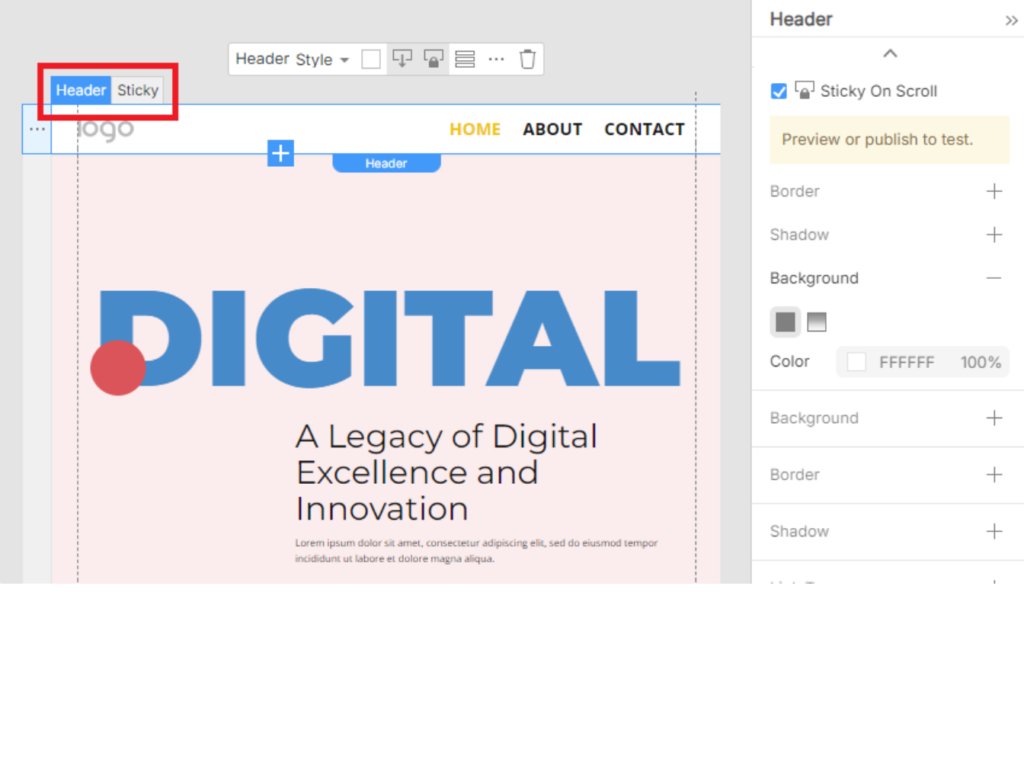
This improvement simplifies editing and improves the experience when the Header overlaps the next block.
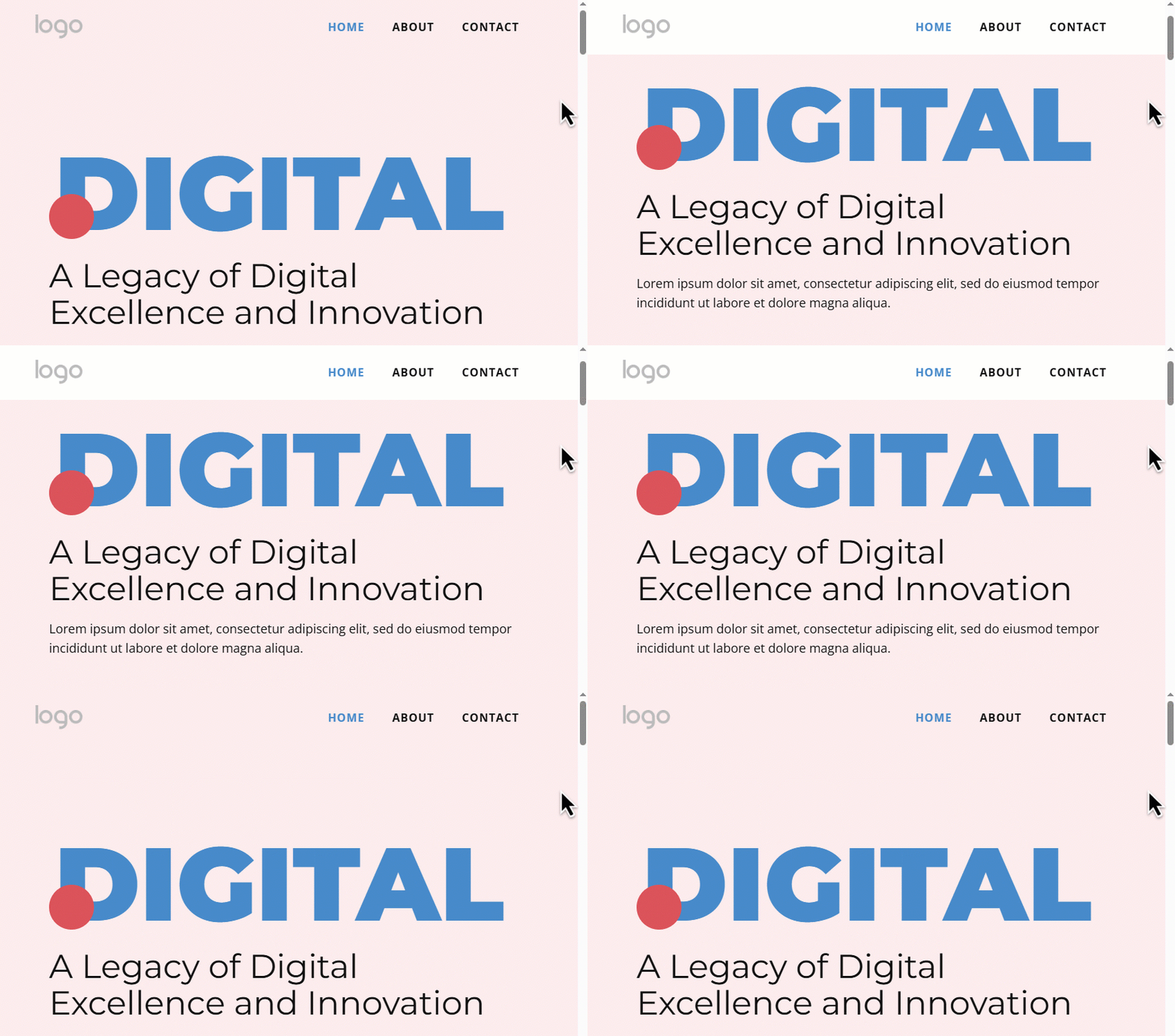
Key Benefits of Sticky Header Tabs
These e-commerce improvements ensure your navigation remains visible at all times.
- Organize header content into clean, structured tabs
- Keep important navigation visible while scrolling
- Improve usability and site accessibility
- Create a more professional and modern header layout
- Enhance overall user experience across all devices
Page Breadcrumbs Navigation Feature
Adding breadcrumbs is one of the most effective e-commerce improvements for SEO and site structure. This feature helps visitors easily move between pages while clearly understanding their current position within the overall site structure.
Breadcrumbs improve both usability and accessibility, especially on content-rich or multi-level websites.
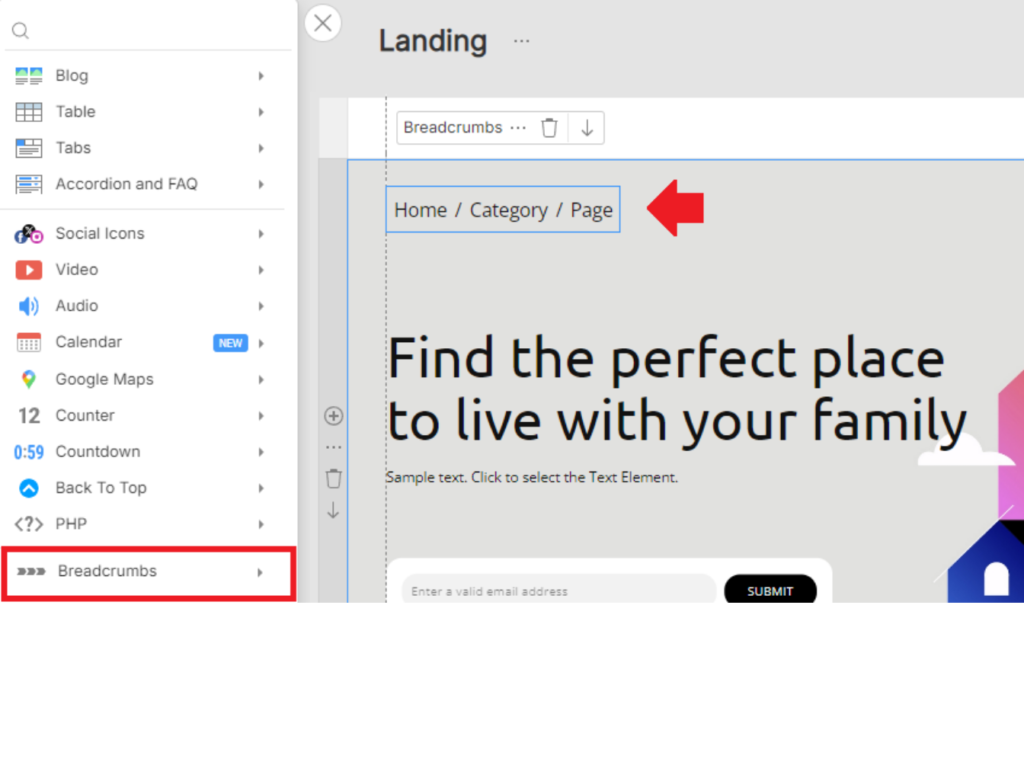
Key Benefits of Page Breadcrumbs
- Help users navigate between pages effortlessly
- Clearly display the page hierarchy and site structure
- Improve user experience on large or complex websites
- Reduce user confusion and navigation friction
- Support better internal linking
Image Dialog Redesigned
We have redesigned the dialog as part of our visual e-commerce improvements to help you manage media faster. The updated design improves clarity and makes image-related settings easier to find and manage.
With a consistent visual layout and improved usability, working with images is now faster and more intuitive.
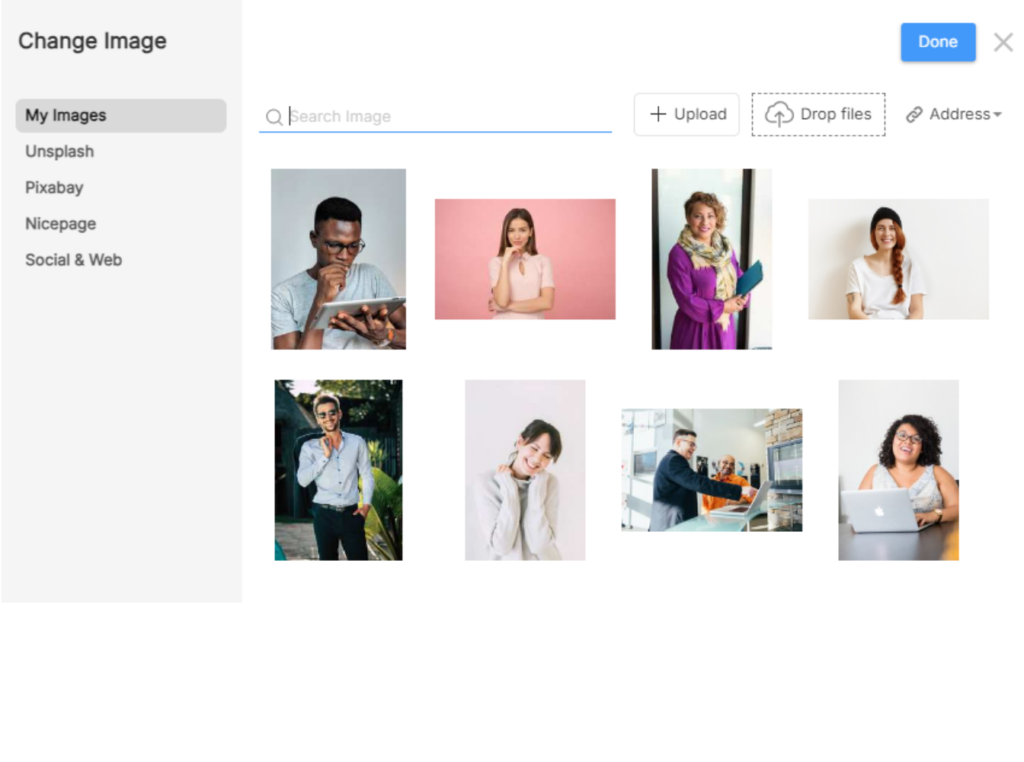
Key Improvements in the Image Dialog
- Unified design that matches the overall interface
- Clearer and more transparent image settings
- Improved visual consistency across tools
- Easier navigation and faster workflow
- More user-friendly experience for beginners and professionals
Color Transparency Controls Added
You can now adjust Color Transparency directly from the Property Panel, giving you greater flexibility and precision when designing your website elements. This update makes it easier to fine-tune visual styles without switching tools or workflows.
With direct transparency controls, designers can create cleaner layouts, smoother overlays, and more modern UI effects.
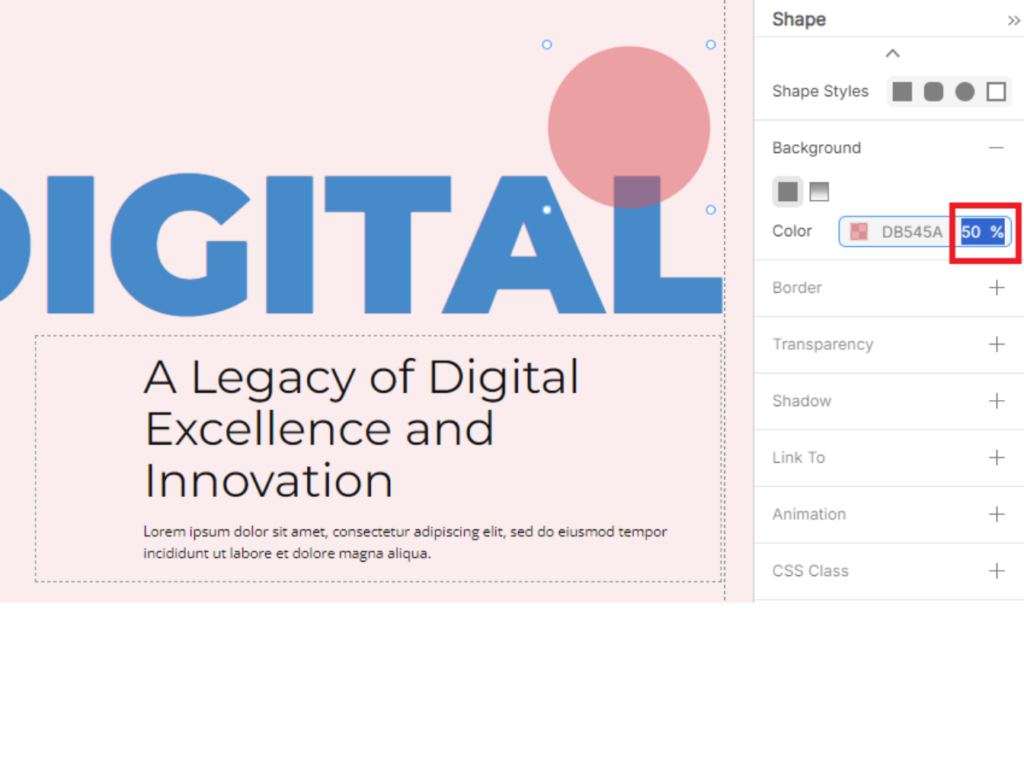
Key Benefits of Color Transparency
- Adjust transparency values directly in the Property Panel
- Achieve precise control over colors and overlays
- Create modern and visually balanced designs
- Improve design consistency across site elements
- Speed up the design and customization process
Layout & Design Fixes
Beyond new features, these e-commerce improvements also cover critical bug fixes.
- Fixed Calendar display issues when Optimize CSS was enabled
- Resolved Accordion layout problems with Optimize CSS enabled
- Fixed incorrect Custom Content Area width rendering
- Corrected hamburger menu icon color issues in specific scenarios
- Fixed icon layout property display issues in the Search element
- Resolved Search icon resizing issues
Calendar & Booking Fixes
- Fixed Calendar display issues for future booking dates
- Resolved incorrect Calendar rendering under certain optimization settings
Forms & Submissions Fixes
- Fixed publishing issues for sites with forms when Google Sheets was not connected
- Resolved issues with sending form submissions to email when using Submit to Google Sheets
- Fixed incorrect display of default radio button items in Contact Forms
Search & Results Fixes
- Fixed incorrect search results when searching for partial words
- Resolved Search results page display issues
Media & Accessibility Fixes
- Fixed display issues with Google Maps and video controls that caused accessibility errors
- Improved overall site accessibility compliance
AI & Builder Fixes
- Resolved issues affecting AI Page Builder functionality
WordPress-Specific Fixes
- Fixed incorrect display of Blog Posts excerpts
- Resolved activation and deactivation issues for the Cookie Pop-Up
- Fixed display issues for variable products using the Plugin Style Source option
- Resolved Blog Posts control issues that caused accessibility errors
Why These Fixes Matter
- Improved platform stability
- Better accessibility and compliance
- Smoother editing and publishing workflow
- More reliable form submissions and integrations
- Enhanced WordPress compatibility